.png)
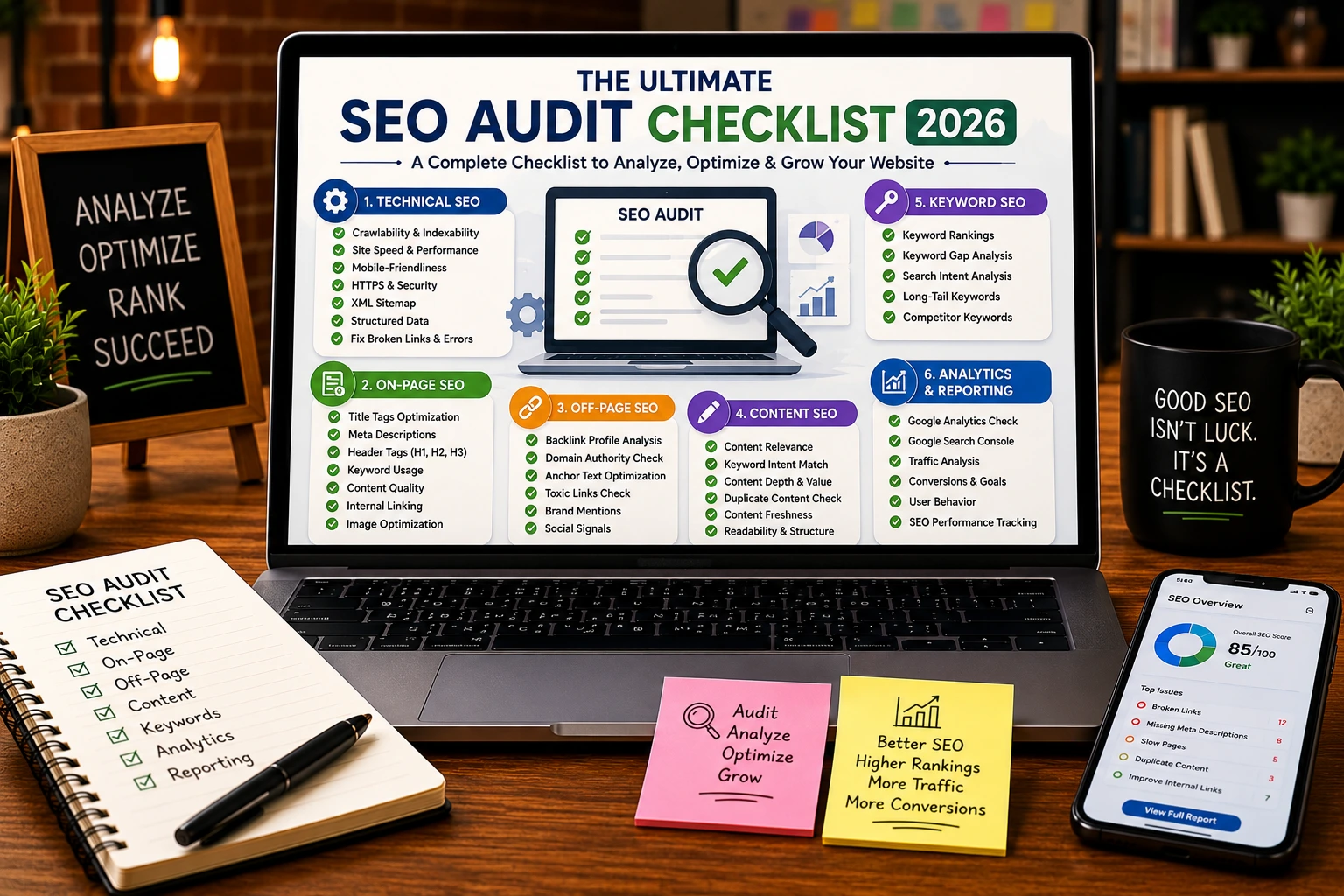
SEO is not a one-time activity. Search engines constantly update their algorithms, websites evolve, content becomes outdated, and technical issues appear over time. Even websites that once ranked well can gradually lose visibility if they are not monitored and maintained regularly.
This is where an SEO audit checklist becomes essential.
A comprehensive SEO audit helps identify problems that may be preventing your website from reaching its full organic potential. From technical errors and indexing issues to content gaps and backlink problems, an audit provides a clear roadmap for improvement.
Businesses investing in professional SEO services in the USA often begin with a full SEO audit because it reveals exactly what is helping or hurting search performance.
This guide walks through a practical SEO audit process that marketers, business owners, and SEO professionals can use to evaluate website health and uncover opportunities for growth.
What Is an SEO Audit?
An SEO audit is the process of analyzing a website’s ability to rank in search engines.
The goal is to identify:
- Technical issues
- Indexing problems
- Content weaknesses
- User experience concerns
- Backlink issues
- Performance bottlenecks
Think of an SEO audit as a health checkup for your website.
Without regular audits, problems often go unnoticed until rankings and traffic begin to decline.
Why SEO Audits Matter in 2026
Search engines are placing greater emphasis on:
- User experience
- Page speed
- Content quality
- Mobile usability
- Technical performance
- Search intent
Regular audits help businesses:
- Maintain rankings
- Improve crawlability
- Increase organic traffic
- Enhance user experience
- Discover optimization opportunities
- Stay competitive
SEO Audit Checklist at a Glance
| Audit Area | Priority |
| Technical SEO | High |
| Indexing & Crawlability | High |
| Site Speed | High |
| Mobile Usability | High |
| Content Quality | High |
| Internal Linking | Medium |
| Backlink Profile | Medium |
| Local SEO | Medium |
| User Experience | Medium |
| Structured Data | Medium |
Step 1: Check Website Indexing
The first step in any SEO audit is confirming that important pages are being indexed properly.
What to Check
- Indexed pages
- Excluded pages
- Noindex tags
- Duplicate URLs
- Canonical tags
Quick Audit Method
Use:
site:yourdomain.com
This search operator shows pages Google currently has indexed.
If you want to perform deeper indexing analysis, our guide on mastering google search operators explains how advanced search operators can uncover hidden indexing issues.
Common Problems
- Important pages not indexed
- Duplicate content
- Incorrect canonicalization
- Accidental noindex tags
Step 2: Review Crawlability
Search engines must be able to access your pages efficiently.
Crawlability Checklist
✅ Robots.txt file exists
✅ Important pages are crawlable
✅ Internal links are functioning
✅ XML sitemap is accessible
✅ Broken links are fixed
Audit Tools
A reliable SEO audit tool can quickly identify crawl errors and blocked pages.
Popular options include:
- Screaming Frog
- Ahrefs
- Semrush
- Sitebulb
Step 3: Analyze Technical SEO Issues
Technical issues often prevent websites from reaching their ranking potential.
A complete audit should include a review of:
- Site architecture
- Redirect chains
- Broken links
- Canonical tags
- Duplicate pages
- Structured data
For a deeper understanding of site architecture, indexing, and crawl optimization, explore our detailed guide on technical SEO explained.
Technical SEO Checklist
| Technical Element | Status |
| HTTPS Enabled | ☐ |
| XML Sitemap | ☐ |
| Canonical Tags | ☐ |
| Redirect Issues Fixed | ☐ |
| Structured Data Implemented | ☐ |
| Crawl Errors Resolved | ☐ |
Step 4: Evaluate Website Speed
Page speed remains a major ranking factor in 2026.
Slow websites create:
- Higher bounce rates
- Poor user experience
- Reduced conversions
Speed Audit Checklist
Check:
- Largest Contentful Paint (LCP)
- Interaction to Next Paint (INP)
- Cumulative Layout Shift (CLS)
Common Fixes
- Compress images
- Minify CSS and JavaScript
- Enable caching
- Use a CDN
- Upgrade hosting
Step 5: Test Mobile Friendliness
Google uses mobile-first indexing.
This means Google primarily evaluates the mobile version of your website.
Mobile Audit Checklist
✅ Responsive design
✅ Readable font sizes
✅ Fast mobile loading
✅ Clickable buttons
✅ Proper spacing
Common Issues
- Tiny text
- Slow mobile pages
- Broken layouts
- Pop-up interference
Step 6: Audit Content Quality
Content remains one of the strongest ranking factors.
Questions to Ask
- Does the content satisfy search intent?
- Is the information accurate?
- Is the content up to date?
- Are target keywords naturally included?
- Does the page provide unique value?
Businesses learning what is SEO often focus heavily on keywords while overlooking content quality and search intent alignment.
Content Audit Checklist
| Content Factor | Review |
| Search Intent Match | ☐ |
| Content Freshness | ☐ |
| Keyword Optimization | ☐ |
| Internal Links | ☐ |
| Readability | ☐ |
| EEAT Signals | ☐ |
Step 7: Review Internal Linking
Internal links help search engines understand site structure and content relationships.
A strong internal linking strategy:
- Improves crawlability
- Distributes authority
- Supports topical relevance
Internal Link Audit
Check:
- Orphan pages
- Broken internal links
- Anchor text relevance
- Link depth
Your audit should confirm that important resources such as your complete guide on SEO are receiving sufficient internal link support.
Step 8: Evaluate Local SEO Signals
Local businesses should include local SEO reviews within every audit.
Local SEO Checklist
✅ Google Business Profile optimized
✅ Consistent NAP information
✅ Local citations verified
✅ Reviews monitored
✅ Location pages optimized
For businesses targeting geographic markets, our guide on local SEO for small business covers additional strategies that improve local search visibility.
Step 9: Audit Backlinks
Backlinks remain one of Google’s strongest authority signals.
What to Review
- Referring domains
- Link quality
- Toxic backlinks
- Lost backlinks
- Anchor text distribution
Healthy Backlink Profile
Characteristics include:
- Relevant websites
- Diverse domains
- Natural anchor text
- Steady growth
Step 10: Check Structured Data
Schema markup helps search engines better understand your content.
Common Schema Types
- Organization
- Local Business
- FAQ
- Product
- Article
- Review
Proper implementation can improve search visibility and rich result eligibility.
Free SEO Audit Checklist
Use this quick checklist during your next audit.
Technical SEO
- HTTPS enabled
- XML sitemap submitted
- Crawl errors fixed
- Canonical tags verified
- Structured data implemented
Content SEO
- Search intent matched
- Thin content improved
- Duplicate content removed
- Internal links optimized
Performance
- Fast loading pages
- Mobile-friendly design
- Core Web Vitals optimized
Local SEO
- GBP optimized
- Reviews monitored
- Local citations consistent
Authority
- Quality backlinks acquired
- Toxic links reviewed
- Anchor profile analyzed
This serves as a practical free seo audit checklist for ongoing website maintenance.
Common SEO Audit Mistakes
Only Auditing Technical Issues
SEO audits should evaluate technical, content, authority, and user experience factors.
Ignoring Search Intent
Ranking improvements require more than technical fixes.
Auditing Without Prioritization
Not all issues have the same impact.
Focus first on:
- Indexing
- Crawlability
- Site speed
- Content quality
Never Performing Follow-Up Audits
SEO is an ongoing process.
Regular audits help maintain performance and uncover new opportunities.
Why Businesses Start With an SEO Audit
Many businesses invest in SEO without fully understanding what is holding their website back.
An audit provides:
- Data-driven insights
- Clear priorities
- Performance benchmarks
- Growth opportunities
Rather than guessing, businesses can focus resources on the changes most likely to improve rankings and traffic.
How Design Vertices Helps Businesses Improve SEO Performance
At Design Vertices, every successful SEO campaign begins with a comprehensive website audit.
Our team evaluates:
- Technical SEO
- Content quality
- Site performance
- User experience
- Backlink health
- Local SEO opportunities
By identifying issues early and creating a structured optimization roadmap, businesses can improve visibility, attract more qualified traffic, and achieve sustainable growth.
Final Thoughts
An effective SEO audit checklist is one of the most valuable tools for maintaining and improving search visibility.
Regular audits help uncover technical issues, content opportunities, performance bottlenecks, and authority gaps before they impact rankings.
Whether you’re managing a small business website or a large enterprise platform, consistent auditing remains one of the most effective ways to strengthen long-term SEO performance in 2026 and beyond.
FAQs
What is an SEO audit?
An SEO audit is a comprehensive review of a website’s technical, content, and authority factors to identify opportunities for improvement.
How often should I perform an SEO audit?
Most websites benefit from a full audit every three to six months.
What is the best SEO audit tool?
Popular SEO audit tools include Screaming Frog, Ahrefs, Semrush, and Sitebulb.
Why is an SEO audit important?
SEO audits identify issues that may be limiting rankings, traffic, and overall website performance.
What should an SEO audit include?
An audit should cover technical SEO, content quality, site speed, mobile usability, backlinks, and local SEO factors.
Can I perform an SEO audit myself?
Yes. Many website owners use a free seo audit checklist and SEO tools to identify common issues and opportunities.
